
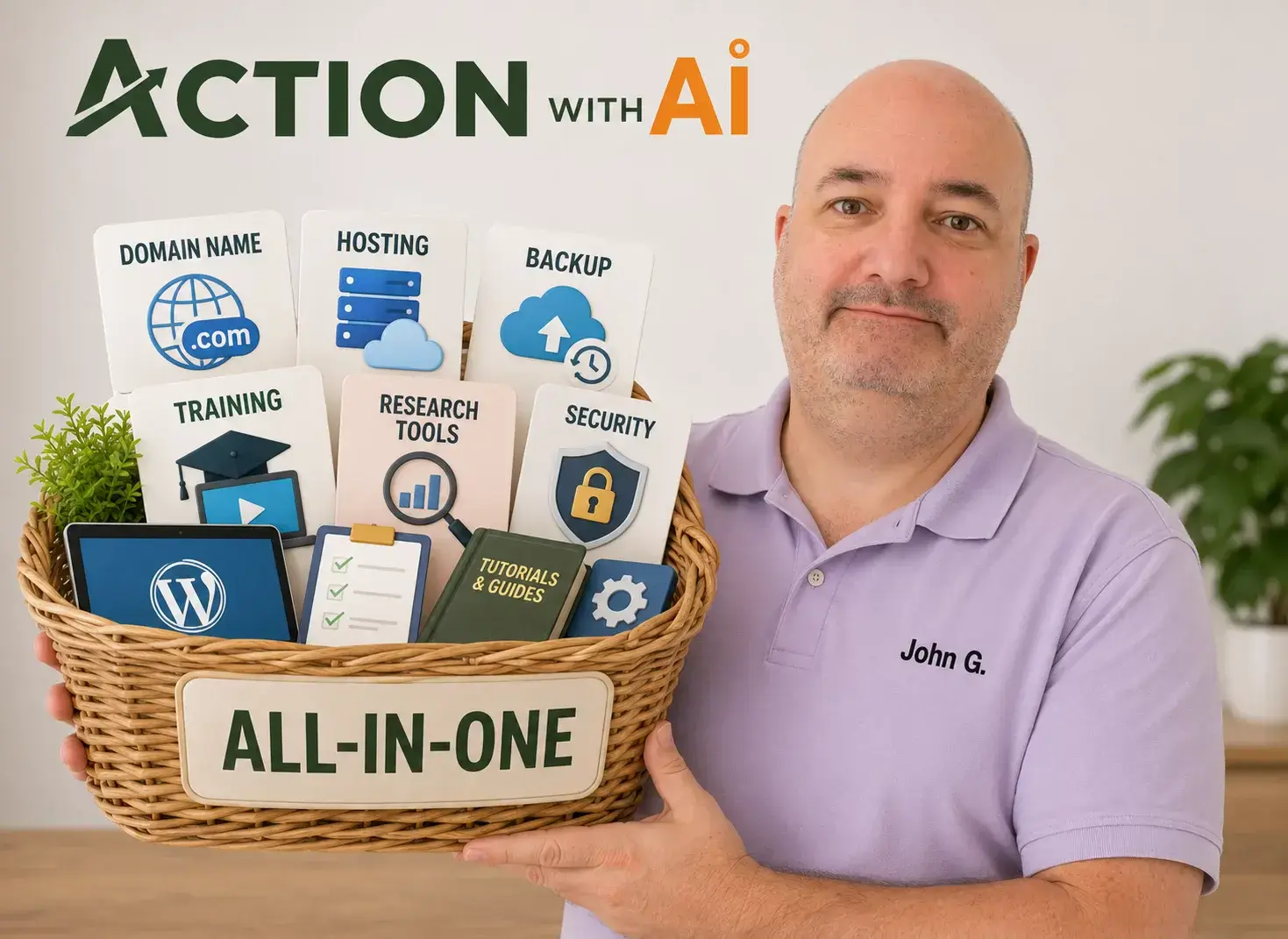
An all-in-one website platform is often the easier starting point for a complete beginner. It reduces the number of accounts, services and support teams you must coordinate while you are still learning how a website works.
Separate WordPress hosting can cost much less and give you more choice and control. The difficulty is that you may also need to organise the domain, email, backups, security, training and other tools yourself—or at least understand which company is responsible for each one.
The better question is not simply:
Which hosting plan displays the lowest monthly price?
It is:
What will the complete setup cost, what must I organise myself, and who will help when something stops working?
I prefer an all-in-one environment because I do not want to become a hosting specialist. I want a suitable place to build WordPress websites, a clear route to technical support and the ability to concentrate on creating something useful.
That convenience costs more, however, and it will not suit everyone.
What does “all in one” actually mean?
An all-in-one website platform can mean different things.
Wix and Squarespace, for example, provide their own website-building software alongside the hosting. That creates a broader decision about whether to use WordPress or a proprietary building system, which deserves a separate comparison.
In this article, I am primarily comparing two ways of running a WordPress website.
The first is a combined environment that might provide:
- WordPress hosting;
- domain registration;
- domain-based email;
- backups, security and SSL;
- technical support;
- website training;
- keyword and market research;
- content and AI tools;
- community help or live classes.
Wealthy Affiliate is the all-in-one service I use, so it provides my main real-life example.

The second route is to assemble the necessary services yourself. You might buy a domain from one company, hosting from another and email from a third. You could then obtain training, keyword research and AI tools elsewhere as required.
There is not a perfect dividing line between these routes. Many ordinary hosting companies now include a free first-year domain, email trial, WordPress installation, backups or AI tools. The difference is a spectrum.
The important point is how much of the complete job is integrated, how many separate commercial relationships you must manage and where responsibility lies when something goes wrong.
If the differences between a domain, hosting and WordPress are still unclear, begin with What You Actually Need to Start a Hobby Website.
What does a separate WordPress setup involve?
A basic independent WordPress arrangement could be quite simple:
- Register a domain.
- Purchase WordPress hosting.
- Use the host’s one-click WordPress installation.
- Create the website.
The complexity appears when you look beneath those four steps.
Does the host also manage the domain? Is domain renewal included after the first year? Does the plan provide a real email mailbox? Who creates the backups, and can you restore or download them? Are security tools included? Will support help with a WordPress problem, or only confirm that its server is working?
You may end up with:
- a registrar controlling the domain;
- a host running WordPress;
- an email company handling the mailbox;
- a plugin or host handling backups;
- another company providing security;
- separate subscriptions for AI and research tools;
- training gathered from several websites or video channels.
This is not necessarily a bad arrangement. It gives you the freedom to compare and replace individual components. An experienced owner may prefer it precisely because no single provider controls everything.
The price of that control is coordination.
The responsibility matters as much as the features
The practical difference becomes clearer when we map responsibility rather than count features.
| Task or question | Combined environment | Separate services |
|---|---|---|
| Installing WordPress | Usually handled or simplified | Often one-click, but depends on the host |
| Connecting the domain | May happen inside the same system | May require registrar or DNS changes |
| Providing a mailbox | May be included | Frequently separate or free temporarily |
| Creating backups | Often managed by the platform | Host, plugin or owner responsibility varies |
| Asking for technical help | One initial support route | The correct provider depends on the fault |
| Managing renewals | Fewer bundled payments | Several prices, dates and accounts |
| Choosing each component | Less independent choice | Greater choice and replaceability |
| Moving later | Must be checked carefully | Usually more control, but still requires work |
| Training and other tools | May be included | Obtained separately as needed |
The advantage of an all-in-one service is not that every technical problem magically disappears. It is that the beginner has fewer boundaries to navigate while working out what the problem is.
That mattered to me.
Why one environment helped me
I joined Wealthy Affiliate in 2015. I was not particularly technical, and I did not already understand how all the parts of a website connected.
I encountered confusing terms involving email mailboxes, SMTP settings, FTP access, backups and domain settings. If someone told me to contact “your provider,” I did not always know whether that meant the hosting provider, domain registrar, email company or somebody responsible for WordPress.

These were not necessarily extraordinary IT problems. The problem was that I did not yet have the knowledge to decide who owned them.
I have also connected or transferred a domain. I remember unfamiliar ideas such as DNS, nameservers and A records being involved in the process, but I cannot now say exactly which setting that particular job required. I do not want to pretend otherwise.
That uncertainty illustrates the issue better than a technical explanation would. When I buy a supported domain through Wealthy Affiliate, the buying process connects much more seamlessly with installing WordPress and managing the website. I do not first have to understand which record points where.
I have contacted WA SiteSupport several times over the years. You submit a ticket, they respond, and in my experience they have generally been good at sorting out the problem.
That is my experience, not a guarantee that every member will receive the same outcome or that every possible WordPress problem falls within hosting support.
What the combined environment gave me was a sensible starting point. I was not paying only for some storage space on a server. I was also paying to reduce the number of technical boundaries I had to navigate before I understood them.
The cheapest headline price may not buy the complete setup
Hosting companies know that a very low monthly number attracts attention.
The number may be accurate, but it can still give a misleading impression of the practical cost. You might have to pay for several years in advance to obtain it. The domain or email may be free only temporarily. The second-year hosting price may be much higher.
A meaningful comparison should use the same basket:
- one WordPress website;
- one
.comdomain; - one domain-based email mailbox;
- SSL;
- backups and a usable restoration method;
- the ability to install normal WordPress plugins;
- technical support;
- a route for moving or exporting the website.
It should then ask:
- What must I pay today?
- What renews after the first year?
- What does the setup cost over at least two years?
- What important function requires an upgrade?
Email is a particularly good example.
A website host may let WordPress send a password reset or contact-form notification without providing a normal mailbox where you can receive and manage messages sent to you@yourdomain.com.
A mailbox might be included, charged separately or described as free when it is actually a time-limited trial. “Email included” needs a follow-up question:
Does this price include a real mailbox, and what will that mailbox cost after any free period?
Backups need similar scrutiny. A provider may create server backups but expect the owner to maintain independent copies. Restoring a normal active site might be included, while recovering a deleted or cancelled account could involve a separate fee or different process.
The words “backup included” do not tell you how often it runs, how long copies are retained, whether you can download one or what you must do to restore it.
What a dated price check revealed
I compared four possible routes on 21 July 2026: Wealthy Affiliate Premium, Hostinger Premium, SiteGround StartUp and Namecheap EasyWP Starter combined with a domain and mailbox.
This was not a speed test or an attempt to rank the providers. It was a test of whether the headline price bought the same basic basket.
Here is what stood out.
Wealthy Affiliate Premium
WA Premium was listed at $497 a year, equivalent to approximately $41.42 a month when paid annually. It included up to three websites alongside its training, support, research and AI tools. My .com domain renewal was showing as $15 a year.

Hostinger Premium
Hostinger displayed Premium hosting at £2.99 a month, but obtaining that rate required paying £143.52 for 48 months in advance. A domain and two mailboxes per website were included for the first year, not the whole four-year term. The published .com renewal was £16.99 a year.
The allocated cost of using 24 months may look very low on paper, but the customer cannot obtain that offer by paying only for those 24 months. The initial cash commitment is part of the comparison.

SiteGround StartUp
SiteGround displayed StartUp at £1.99 a month for the first 12 months, prepaid and excluding VAT. It then renewed at £13.99 a month, also excluding VAT. Across two years, the hosting cost was £191.76 excluding VAT, or approximately £230.11 after adding 20% VAT. Domain renewal was separate.
The £1.99 headline described only the introductory year, not the continuing price.

Namecheap EasyWP Starter
Namecheap’s EasyWP hosting was inexpensive, but it did not include the .com domain or a business mailbox. Once I added first-year and renewal prices for all three, the two-year total was $152.28 before applicable UK tax and currency-conversion costs.
That may still represent good value. The point is that the complete answer was not contained in the hosting number.

Prices change, which is why this evidence must remain dated and linked to a separately maintained comparison. The lasting lesson is:
The cheapest-looking hosting plan and the cheapest complete website setup are not necessarily the same thing.
How much of WA’s price is really for hosting?
This is difficult to answer because WA does not sell Premium as a hosting-only product.
The $497 annual membership works out at approximately $41.42 a month. I estimated that replacing basic WordPress hosting, SSL, backups, support and one mailbox through the independent setups would cost roughly 5–13 a month.
Subtracting that range leaves an implied non-hosting remainder of approximately 28.50–36.31 a month. The midpoint is about $32.41.
That does not prove that WA charges $32.41 for training and AI. WA does not publish an internal breakdown, and bundled pricing does not work that neatly.
The remainder covers the combined availability of:
- training;
- keyword and market research tools;
- AI writing assistance;
- AI images and logos;
- community help and live classes;
- integrated publishing workflows;
- the convenience of having everything in one environment.
I currently use all those parts of my membership. I also use WA hosting, domain registration, domain email and technical support. In my case, I am not paying for a long list of advertised features I never touch.
Another member might use only the hosting and a fraction of the training. For that person, the bundle could represent poor value because one basic WordPress website can be hosted much more cheaply elsewhere.
There is another important limitation. The independent benchmark shows the cost of a functional beginner setup; it does not establish that every hosting plan provides identical computing capacity or support.

If WA’s hosting provides materially greater capacity, isolation or hands-on help than the cheaper plans, more of its membership price should reasonably be attributed to hosting. WA advertises managed WordPress hosting and “enterprise” performance, but I could not find enough comparable public CPU, memory and processing limits to price that difference reliably.
The implied $29–$36 remainder is therefore an illustration, not an accounting fact.
Will cheap hosting struggle if the website becomes successful?
It might, but that does not mean every beginner should buy expensive hosting in anticipation of traffic that may never arrive.
Most new hobby websites begin with:
- relatively few visitors;
- ordinary articles and images;
- little simultaneous traffic;
- no complicated shop or membership system;
- plenty of time to observe growth and upgrade.
A reputable entry-level WordPress plan will normally be adequate for that kind of beginning.
Hosting demand becomes more important when a site develops significant simultaneous traffic, ecommerce, membership features, interactive tools, a large database or resource-intensive plugins. A sudden social-media mention can also create a very different load from the same number of visitors spread across an entire month.
This is why visitor allowances can be misleading.
Fifty thousand views of a cached article page are not the same workload as 50,000 visits to a shop where every visitor is searching products, updating a basket and accessing a database. The total monthly number does not show how many people arrived at once or how much work the server performed for each visit.
Technical specifications such as CPU, RAM and PHP workers can help an experienced buyer, but they do not give a beginner a perfectly comparable answer. One core on a well-managed, cached platform can behave differently from one core in another environment. Some companies publish detailed limits; others rely on broad descriptions such as “Essential resources” or “enterprise hosting.”
I do not have the technical expertise to turn those figures into a confident prediction about every website. I suspect many beginners are in the same position.
Rather than pretending to be hosting engineers, we can ask practical questions:
- Will the plan comfortably run an ordinary new WordPress site?
- Can I install the normal themes and plugins I need?
- Are SSL, security, backups and restoration usable?
- Will support help identify whether a problem is caused by the site or its hosting?
- Can I see when the website is approaching its resource limits?
- Can I upgrade without rebuilding everything?
- Can I move the website if the service no longer suits me?
I have seen technically knowledgeable WA members complain about hosting issues. I have not personally experienced a hosting-capacity problem, and I cannot tell whether other members’ problems resulted from hosting limits, their individual website configuration or something else.
My websites may simply never have placed that kind of demand on the system. That means my experience supports the narrower statement that WA hosting has met my needs—not that it will outperform every alternative under every workload.
For most hobby website builders, the sensible approach is to begin with adequate hosting and a clear upgrade route rather than purchase excessive capacity for imaginary success.
Plugin limits are not always a simple number
You may encounter claims that a hosting plan limits how many plugins can be installed. Sometimes a particular service tier restricts whether third-party plugins can be installed at all. More commonly, managed hosts maintain a list of prohibited or discouraged plugins.
They may block a plugin because it:
- duplicates a function provided by the host;
- consumes excessive resources;
- creates a security risk;
- conflicts with the host’s caching or backup system;
- performs poorly on the platform.
Resource limits can also impose a practical restriction even when no numerical plugin limit exists. Twenty efficient plugins may create less load than one badly designed plugin.
The useful question is:
Can I install the ordinary plugins I am likely to need, which ones are prohibited, and which functions does the host already provide?
Paying for hosting that already supplies caching, backups and security may reduce the number of separate plugins required. Conversely, a cheap plan is not good value if it prevents you from adding an essential function without upgrading.
All in one can also mean less choice
The simplicity I value has a trade-off.
WA’s domain service concentrates on extensions such as .com, .net and .org. It does not currently offer .co.uk through the domain search available in my account.
That may be inconvenient for a UK website owner who specifically wants a .co.uk address.
You can register a domain elsewhere and connect it to WA hosting. The domain registrar and website host do not have to be the same company. But that arrangement reintroduces some of the DNS and provider coordination that the all-in-one route is intended to reduce.
Connecting a domain to hosting is also not necessarily the same as transferring its registration. One changes where the domain directs visitors; the other moves responsibility for registration and renewals to another registrar.
You do not need to understand the technical process for this decision. You do need to check that the extension you want is available and decide whether managing it separately is acceptable.
Choice matters in other areas too. A bundle may include tools you would not have selected independently. It can create greater reliance on one company. If the price rises or the service changes, moving several connected functions may be more involved than replacing one provider.
Before committing, establish:
- whether you control the domain-registration account;
- whether the WordPress files and database can be migrated;
- how independent backups can be obtained;
- what happens to email if you leave;
- which services stop with the membership.
The advantages and disadvantages side by side
Advantages of an all-in-one environment
- Fewer accounts, interfaces and renewals
- Simpler domain-to-WordPress setup
- One initial route for technical help
- Training and tools may be integrated with the website
- Less need to coordinate providers as a beginner
- More time to concentrate on learning and publishing
Disadvantages of an all-in-one environment
- Higher bundled price
- Paying for features you may not use
- Less choice over individual services
- Some domain extensions or tools may be unavailable
- Greater dependence on one company
- Hosting capacity and portability still need checking
Advantages of separate services
- Lower cost for basic infrastructure
- Ability to compare and replace each component
- Broader choice of registrars, hosts and email services
- Greater technical control
- No need to buy a training or tools bundle
Disadvantages of separate services
- More dashboards, passwords and renewal dates
- Greater responsibility for connecting the services
- Support teams may refer you to another provider
- Introductory prices and add-ons can conceal the real cost
- More decisions before the website begins helping anyone
Which type of beginner are you?
Consider an all-in-one environment if:
- technical coordination is your biggest concern;
- you want structured training and a clear place to ask for help;
- you will genuinely use the included research, AI or community tools;
- the continuing price is affordable;
- you have checked the domain, migration and backup arrangements.
Consider separate services if:
- you want only a basic WordPress website;
- managing several accounts does not worry you;
- you want to select and replace each service independently;
- you need a particular domain extension or specialist service;
- lower infrastructure cost matters more than an integrated learning environment;
- you are willing to coordinate support when necessary.
You can begin with one model and move later. WordPress is portable in principle, but moving a live website, domain and email still requires planning. “I can move it” does not mean “moving will require no work.”
Why I still recommend considering Wealthy Affiliate
Affiliate disclosure: This section contains an affiliate link to Wealthy Affiliate. If you join through it, I may receive a commission at no additional cost to you. I joined in 2015 and remain a member. I use its hosting, domains, email, training, research and AI tools, classes, community and SiteSupport, but you do not need Wealthy Affiliate to build the kind of website described here.
I recommend considering WA because its combined environment helped me overcome the confusion that can stop a non-technical beginner from making progress.
It currently offers a limited free Starter plan, so you can inspect the environment before deciding whether Premium’s wider training, tools and hosting represent value for you. Check the current Wealthy Affiliate plans and limits because prices and features can change.
I would not recommend paying for Premium merely to host one uncomplicated website. Basic WordPress infrastructure is available much more cheaply.
WA becomes a more reasonable proposition when you value and use the larger system: structured training, integrated research and AI tools, classes, community, hosting and one support environment. That is what I use it for.
It remains a preference, not a requirement for following ActionWithAI.
Choose a manageable route forward
The best beginner setup is not necessarily the plan with the largest technical numbers or the smallest introductory price.
It is an affordable arrangement that:
- works for the website you need now;
- makes the complete continuing cost understandable;
- gives you a clear route to support;
- allows ordinary WordPress functions;
- tells you what happens as the site grows;
- gives you a manageable way to upgrade or leave.
An all-in-one environment can reduce the technical and decision-making burden. Separate services can reduce the price and increase your control. Neither advantage is imaginary, and neither makes one route correct for everybody.
I prefer everything in one place because I use the complete service and it lets me concentrate on building websites rather than comparing infrastructure. If you need only hosting and feel comfortable managing the pieces, a separate setup may represent better value.
The next step is not to search for the host with the most impressive specification. It is to identify the level of help, control and responsibility you want—and then compare providers using the complete basket rather than the headline rate.